


You’re standing at a crossroads, perhaps considering an upgrade, a new installation, or simply seeking peace of mind. The nebulous concept of “home security” is rapidly evolving, and a significant shift is happening: the integration of remote access. No longer are you tethered to your living room couch, anxiously peering through a peephole. Today, your security system can be a pocket-sized sentinel, a digital guardian you can command from across town or across the globe. This article will guide you through the landscape of home security system companies offering robust remote access capabilities, empowering you to make an informed decision. Think of this as your navigational chart through the often-complex waters of modern home protection.
The traditional home security system was a passive observer, a series of sensors and a siren. Its primary function was to alert you after an intrusion. While this remains a fundamental aspect, the advent of the internet and mobile technology has transformed security into an active, dynamic shield. Remote access is the engine driving this transformation, allowing you to not just be passively alerted, but to actively engage with your home’s security.
From Basic Alarms to Connected Hubs
Historically, home security meant a panel on the wall, a key fob, and perhaps a monthly fee for a monitoring service. The system was a Black Box, and your interaction was limited to arming and disarming it. The introduction of smart home technology has shattered this single-purpose paradigm. Security systems are now integrated into a broader ecosystem, communicating with other devices and, crucially, with you, wherever you are.
The Ubiquity of the Smartphone
Your smartphone, that ubiquitous device now firmly in your grasp, has become the primary interface for modern home security. It’s your control panel, your surveillance hub, and your communication link to your home’s defenses. Apps have been designed to be intuitive, putting powerful features at your fingertips.
Understanding the Core Functionality
At its heart, remote access for home security revolves around several key functionalities:
- Arming and Disarming: The most basic function, allowing you to secure your home remotely, whether you’re running late or simply want to double-check.
- Alerts and Notifications: Real-time notifications of triggered sensors, from motion detectors to door and window contacts, are sent directly to your device.
- Live Video Feeds: Access to live or recorded video from security cameras, providing visual verification of any alerts.
- Device Control: The ability to control other smart home devices integrated with your security system, such as smart locks or lights.
The Rise of the DIY vs. Professional Installation Debate
The emergence of remote access has fueled the rise of both do-it-yourself (DIY) systems and professionally installed solutions. Each has its own strengths and weaknesses, and the choice often hinges on your technical comfort level and budget.
DIY Systems: Empowering the User
These systems are designed for easy setup by the homeowner. Components are typically wireless, and the app guides you through the installation process. Remote access is a fundamental selling point for these systems, allowing you to manage your security without a dedicated technician.
Advantages of DIY Systems
- Cost-Effectiveness: Generally lower upfront costs compared to professionally installed systems.
- Flexibility: You can often expand your system with additional sensors and devices as needed.
- Control: You have complete control over installation and ongoing management.
Limitations of DIY Systems
- Technical Aptitude Required: Installation, while simplified, still requires some comfort with technology.
- Self-Monitoring: While many DIY systems offer professional monitoring as an add-on, the default is usually self-monitoring, meaning you are responsible for responding to alerts.
Professionally Installed Systems: Expertise and Convenience
These systems are installed and often maintained by trained technicians. While the initial cost may be higher, they offer a hands-off approach for homeowners who prefer expert setup and a potentially more robust integration.
Advantages of Professional Installation
- Expert Setup: Ensures optimal placement of sensors and cameras for maximum coverage.
- Integrated Solutions: Often designed to integrate seamlessly with other smart home devices.
- Comprehensive Support: Typically includes professional monitoring and technical support.
Considerations for Professional Installation
- Higher Upfront Costs: The installation and equipment fees can be substantial.
- Contractual Obligations: Some companies require long-term contracts for monitoring services.
When considering a home security system with remote access, it’s essential to also explore strategies for preventing home invasions. A related article that delves into effective methods for enhancing your home’s safety is available at Home Invasion Prevention Strategies for Safety. This resource provides valuable insights that can complement your security system, ensuring a comprehensive approach to protecting your home and loved ones.
Key Features of Remote Access Security Systems
When evaluating home security companies with remote access, a few core features rise to the forefront of importance. These are the building blocks of a secure and connected home.
Mobile Applications: Your Digital Command Center
The mobile application is the gateway to your remote security. A well-designed app is intuitive, responsive, and offers a comprehensive suite of controls. It should be your digital eye, ear, and hand for your home’s security.
User Interface and Experience (UI/UX)
The app’s interface should be clean, uncluttered, and easy to navigate. You should be able to find the functions you need quickly, without a steep learning curve. Consider the app a finely tuned instrument, not a blunt tool.
Key App Features to Look For:
- Intuitive Arm/Disarm Controls: Clear buttons for arming (away, stay, etc.) and disarming.
- Event History Log: A detailed record of all system events, including sensor triggers and arming/disarming times.
- Customizable Notifications: The ability to choose which types of alerts you receive and how.
- User Management: For multi-person households, the ability to grant different access levels to family members.
Video Surveillance: Eyes on Your Property
Remote access to live and recorded video feeds from security cameras is a cornerstone of modern home security. It provides visual confirmation and crucial evidence.
Camera Types and Capabilities
Security cameras come in various forms, each suited to different needs. Consider the environmental factors and the specific areas you need to monitor.
Indoor vs. Outdoor Cameras:
- Indoor: Ideal for monitoring living spaces, nurseries, or entryways. Often feature wide-angle lenses and two-way audio.
- Outdoor: Built to withstand the elements, offering features like night vision, motion detection, and weatherproofing. Essential for perimeter security.
Advanced Camera Features:
- High Definition (HD) Resolution: Essential for clear image quality, allowing you to distinguish details.
- Night Vision: Infrared technology that allows cameras to see in low-light or complete darkness.
- Motion Detection: Triggers recording and alerts when movement is detected, reducing unnecessary footage.
- Two-Way Audio: Allows you to communicate with individuals via the camera, useful for deterring intruders or greeting visitors.
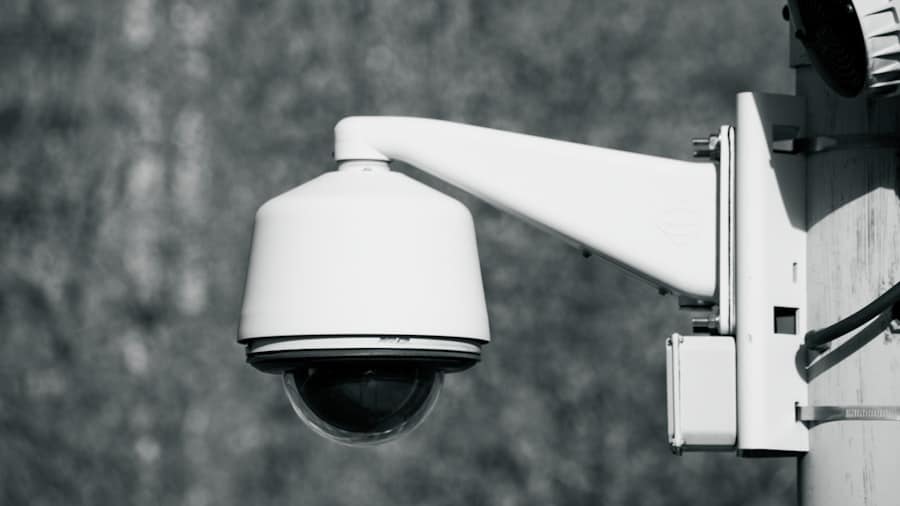
- Pan-Tilt-Zoom (PTZ): Offers remote control over the camera’s movement, allowing you to adjust the field of view.
Sensor Integration: A Network of Awareness
Your security system is only as effective as the sensors that feed it information. Remote access allows you to monitor the status and receive alerts from a diverse range of sensors.
Types of Sensors and Their Roles
Each sensor plays a specific role in creating a comprehensive security network around your home.
Essential Sensors:
- Door and Window Sensors: These are the sentinels at your home’s entry points, alerting you the moment a door or window is opened.
- Motion Detectors: These act as the eyes within your home, sensing movement in specific areas and triggering alarms.
- Glass Break Sensors: Designed to detect the distinct sound frequency of breaking glass, providing an early warning before entry is made.
Advanced Sensor Options:
- Environmental Sensors: These can detect dangers beyond intrusion, such as smoke, carbon monoxide, or water leaks, offering a more holistic approach to home safety.
- Pressure Mats: Can be placed under rugs or carpets to detect the weight of someone stepping on them.
Smart Home Integration: A Connected Ecosystem
The true power of remote access is unlocked when your security system can interact with other smart home devices. This creates a symphony of interconnected functionality.
The Benefits of a Unified System
Imagine your security system triggering your lights to flash when an alarm is tripped, or your smart lock automatically engaging when you arm the system.
Examples of Integration:
- Smart Locks: Remotely lock and unlock doors, grant temporary access to guests, and receive notifications when doors are opened or closed.
- Smart Lighting: Lights can be programmed to turn on or off at scheduled times, or to activate in response to security events, deterring potential intruders.
- Smart Thermostats: While not directly security-related, integrating with thermostats can allow for energy savings when you are away from home, managed through the same app.
Selecting the Right Company: Factors to Consider
Choosing a home security company with robust remote access requires careful consideration of several key factors. You’re not just buying a product; you’re investing in your peace of mind.
Monitoring Services: Professional vs. Self-Monitoring
The decision between professional and self-monitoring is a significant one, impacting response times and overall security strategy.
Professional Monitoring: The Round-the-Clock Watch
In this model, a monitoring center is alerted when your alarm is triggered. Trained operators then assess the situation and dispatch emergency services if necessary. This is like having a dedicated bodyguard for your home, always on duty.
Advantages of Professional Monitoring:
- Immediate Response: Trained professionals ensure a swift and appropriate response to alarms.
- Peace of Mind: You can rest assured that someone is always watching, even when you’re asleep or unavailable.
- Reduced False Alarms: Monitoring centers often have protocols to verify alarms before contacting authorities, reducing unnecessary dispatches.
Disadvantages of Professional Monitoring:
- Monthly Fees: This service typically incurs a recurring monthly charge.
- Potential for Delays: While generally efficient, there can be slight delays in communication between the system, monitoring center, and authorities.
Self-Monitoring: Your Direct Line of Defense
With self-monitoring, you are the primary responder to alerts. Your system sends notifications directly to your smartphone, and you are responsible for contacting emergency services. This puts you in the driver’s seat, but requires your constant vigilance.
Advantages of Self-Monitoring:
- No Monthly Fees: Eliminates the recurring cost of professional monitoring.
- Direct Control: You have immediate control over how to respond to alerts.
Disadvantages of Self-Monitoring:
- Reliance on Your Availability: You must be able to respond to notifications promptly, which may not always be possible.
- Potential for Missed Alerts: If your phone is off, out of service, or you are otherwise indisposed, you might miss critical alerts.
- Subjectivity in Response: The decision to call emergency services rests solely on your judgment.
Equipment Costs and Contracts: Unpacking the Investment
Understanding the financial commitment involved is crucial. This involves both the upfront cost of equipment and any ongoing contractual obligations.
Upfront Equipment Costs: The Initial Outlay
This is the price you pay for the physical components of your security system, such as the control panel, cameras, sensors, and other accessories.
Factors Influencing Equipment Costs:
- Number of Components: The more sensors and cameras you require, the higher the initial cost.
- Brand and Quality: Higher-end brands and more advanced features will naturally command higher prices.
- DIY vs. Professional Installation: Professionally installed systems often bundle equipment costs into a larger package.
Contractual Obligations: The Long-Term Commitment
Many security companies, particularly those offering professional monitoring, require customers to sign a contract. These contracts can vary significantly in length and terms.
Understanding Contract Terms:
- Contract Length: Common contract lengths range from one to three years, though some may be month-to-month.
- Early Termination Fees: Be aware of penalties if you decide to end the contract before its expiration.
- Equipment Ownership: Clarify whether you own the equipment outright after the contract or if it remains the property of the company.
Customer Service and Technical Support: Your Safety Net
When dealing with security, reliable customer service and technical support are paramount. You need to know you can get help when you need it.
Responsiveness and Accessibility
In a security emergency, or even a technical glitch, you need prompt and accessible support. This includes being able to reach a real person easily when you have a question or issue.
Evaluating Customer Service:
- Availability: Are they available 24/7, or only during business hours?
- Contact Methods: Do they offer phone support, live chat, email, or a combination?
- Online Resources: Do they provide a comprehensive FAQ, knowledge base, or troubleshooting guides on their website?
Technical Expertise
When issues arise with your system, you need support personnel who are knowledgeable and can effectively diagnose and resolve problems.
What to Look For in Technical Support:
- Trained Technicians: Ensure they have qualified personnel to handle technical inquiries.
- Troubleshooting Capabilities: Can they guide you through common issues or dispatch a technician if needed?
- Software Updates and Maintenance: Understand how they handle system updates and ensure ongoing operational integrity.
Leading Companies Offering Remote Access Security
The market for home security systems with remote access is robust, with numerous companies vying for your business. Here are some of the prominent players and what they generally offer:
ADT: The Established Giant
ADT is one of the oldest and most recognized names in home security. They offer a comprehensive range of professionally installed systems with strong remote access capabilities, often integrated with their professional monitoring services.
Key Offerings of ADT:
- Professional Installation: ADT systems are typically installed by their technicians.
- Advanced Mobile App: Their app provides remote arming/disarming, live video feeds, notifications, and smart home control.
- 24/7 Professional Monitoring: A core component of their service, ensuring a rapid response to alarms.
- Integration with Smart Home Devices: ADT systems can often integrate with popular smart home platforms.
Vivint: Smart Home Focused Security
Vivint positions itself as a smart home security provider. They offer professionally installed systems that emphasize seamless integration of security and smart home technology, all managed through a sophisticated mobile app and their proprietary SmartHub.
Key Offerings of Vivint:
- Integrated Smart Home Ecosystem: Focus on connecting security with lighting, locks, thermostats, and more.
- Professional Installation and Support: Their technicians handle setup and provide ongoing customer service.
- Intuitive Mobile App: A central hub for managing all aspects of your smart home and security.
- Dedicated Customer Service: Known for providing personalized customer support.
SimpliSafe: The DIY Champion with Optional Monitoring
SimpliSafe has gained significant traction in the DIY market by offering easy-to-install wireless systems with very competitive pricing. They provide robust remote access features through their mobile app and offer optional, no-contract professional monitoring.
Key Offerings of SimpliSafe:
- User-Friendly DIY Installation: Designed for quick and straightforward setup by the homeowner.
- Affordable Pricing: Generally offers lower equipment costs and flexible monitoring plans.
- Comprehensive Mobile App: Allows for remote control, live video viewing, and customizable notifications.
- Optional Professional Monitoring: Provides the option for 24/7 monitoring without long-term contracts.
Ring (Amazon): The Video-Centric Approach
Ring, now owned by Amazon, is primarily known for its video doorbells and security cameras, but has expanded to offer comprehensive home security systems components that integrate through its app. Remote access is central to its product design.
Key Offerings of Ring:
- Strong Video Focus: Renowned for high-quality video doorbells and cameras with excellent remote viewing capabilities.
- DIY Installation: Most Ring products are designed for easy DIY setup.
- Ring Alarm System: Offers a DIY security system that integrates with their cameras and video doorbells.
- Optional Monitoring (Ring Protect Pro): Provides professional monitoring services for the Ring Alarm system.
Google Nest: The Integrated Ecosystem Approach
Google Nest offers a suite of smart home devices that include security cameras and a doorbell. While they don’t offer a traditional alarm panel system in the same vein as some competitors, their products are designed for seamless integration within the Google Home ecosystem, allowing for remote access and notifications.
Key Offerings of Google Nest:
- High-Quality Cameras and Doorbells: Known for excellent video quality and smart features.
- Seamless Google Home Integration: All Nest devices can be managed through the Google Home app.
- Remote Monitoring and Notifications: Provides real-time alerts and live video feeds.
- Smart Home Automation: Integrates with other Google Nest devices for a connected home experience.
When considering the best options for home security, many homeowners are increasingly interested in systems that offer remote access features. These advanced systems allow you to monitor your property from anywhere, providing peace of mind whether you’re at work or on vacation. For more insights on how to effectively protect your family with a home security system, you can read this informative article on protecting your family. By understanding the various options available, you can make an informed decision that enhances your home’s safety.
Maximizing Your Remote Access Security Investment
| Company | Remote Access | Mobile App Rating (out of 5) | Monthly Monitoring Cost | Equipment Warranty | Customer Satisfaction (%) |
|---|---|---|---|---|---|
| ADT | Yes | 4.2 | 30 | 3 years | 85 |
| Vivint | Yes | 4.5 | 40 | 3 years | 88 |
| SimpliSafe | Yes | 4.3 | 25 | 3 years | 90 |
| Frontpoint | Yes | 4.4 | 35 | 3 years | 87 |
| Ring | Yes | 4.1 | 20 | 1 year | 82 |
Simply purchasing a system with remote access is only the first step. To truly harness its power and ensure your home’s security, you need to be proactive and strategic.
Developing a Robust Security Strategy
Your security system is a tool. The effectiveness of that tool depends on how you use it. Think of it as an extension of your own vigilance.
Assessing Your Home’s Vulnerabilities
Walk around your property, both inside and out, and identify potential entry points or weaknesses. This is like a general surveying the battlefield before the campaign.
Key areas to assess:
- Doors and Windows: Are they secure? Do you have sensors on all of them?
- Garages and Sheds: These are often overlooked entry points.
- Outdoor Areas: Consider lighting, visibility, and potential hiding spots.
- The Human Factor: Educate household members on security best practices.
Regularly Reviewing and Updating Your System
Technology evolves, and so too should your security. Regular check-ins ensure your system remains effective and secure.
Software and Firmware Updates: The Digital Maintenance
Manufacturers regularly release updates to improve performance, fix bugs, and patch security vulnerabilities. These are like tune-ups for your digital sentinels.
Why Updates are Crucial:
- Enhanced Security: Patches can close vulnerabilities that could be exploited by intruders.
- Improved Performance: Updates can often boost system speed and reliability.
- New Features: Sometimes, updates introduce new functionalities or improve existing ones.
Testing Your Sensors and Cameras
Periodically test each component of your system to ensure it’s functioning correctly. This is akin to a soldier performing drills to maintain readiness.
Test Schedule:
- Monthly: At a minimum, test all sensors. Open doors, walk past motion detectors, and verify you receive notifications.
- Quarterly: Check camera feeds, ensuring clear video quality and proper motion detection recording.
Understanding Privacy Implications and Data Security
When you opt for remote access, you are entrusting your personal information and potentially sensitive video footage to a company. Understanding their data security practices is vital.
Data Encryption
Ensure the company uses robust encryption protocols to protect your data in transit and at rest. This is like a secure vault for your digital information.
What to Look For:
- End-to-End Encryption: Data is encrypted from the moment it leaves your device to the moment it’s accessed by authorized personnel.
- Secure Cloud Storage: If your video footage is stored in the cloud, understand the security measures in place.
Privacy Policies
Familiarize yourself with the company’s privacy policy to understand how they collect, use, and share your data. This is your contract with their data handling practices.
Key Questions to Ask:
- What data do they collect?
- How is this data used?
- Who has access to your data?
- What are their data retention policies?
By understanding the features of remote access security systems, carefully evaluating companies, and actively managing your system, you can build a powerful, connected, and secure environment for your home. The digital age has placed unprecedented control in your hands, allowing you to stand as the vigilant guardian of your own sanctuary.
FAQs
What is a home security system with remote access?
A home security system with remote access allows homeowners to monitor and control their security devices, such as cameras, alarms, and locks, from a smartphone, tablet, or computer, no matter where they are.
Which features are commonly offered by home security companies with remote access?
Common features include live video streaming, real-time alerts, remote arming and disarming of the system, two-way audio communication, and integration with smart home devices.
Are home security systems with remote access easy to install?
Many companies offer both professional installation and DIY options. The ease of installation depends on the system’s complexity and whether it requires wiring or is wireless.
Is remote access to home security systems secure?
Reputable companies use encryption and secure authentication methods to protect remote access. However, users should follow best practices like using strong passwords and enabling two-factor authentication.
Can I customize a home security system with remote access to fit my needs?
Yes, most companies offer customizable packages and allow users to add or remove devices and features to tailor the system to their specific security requirements.