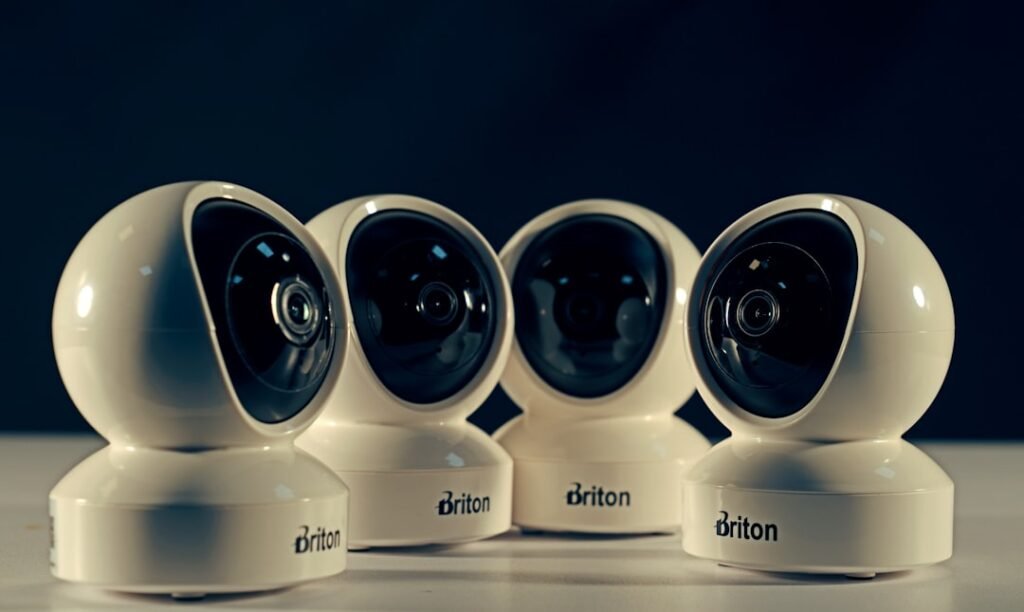
You are considering the installation of a home security system, a decision that brings with it a layer of peace of mind. In today’s technologically advanced world, the mere presence of a siren or a sensor is often augmented by a sophisticated digital counterpart: the mobile application. These apps are not mere novelties; they are the digital extensions of your physical security, putting control and awareness directly into the palm of your hand. This article will explore home security system companies that offer robust mobile applications, examining their functionalities, the benefits they provide, and the considerations you should keep in mind when making your selection.
The concept of home security has undergone a remarkable transformation. Gone are the days when a simple deadbolt and an alarm sticker were the pinnacle of protection. You now live in an era where technology has democratized sophisticated safety measures, making them accessible and manageable through intuitive interfaces. The core function of any security system remains to deter intruders and alert authorities or occupants in the event of unauthorized access, fire, or other emergencies. However, the method of interaction and control has shifted dramatically.
From Analog Alarms to Digital Guardians
Historically, security systems were largely analog. They operated on dedicated wiring, relied on physical keypads, and their communication capabilities were often limited to local sirens or direct phone line connections to monitoring centers. The concept of remote access was largely science fiction for the average homeowner.
The Rise of Connectivity
The advent of the internet and wireless networking changed everything. Security systems began to integrate with these networks, allowing for remote monitoring and control. This transition paved the way for the sophisticated mobile applications you see today, acting as the central hub for your home’s digital sentinels.
The Central Role of the Mobile App
Think of your mobile app as the digital doorman for your home. It’s the gateway through which you can interact with your entire security infrastructure, regardless of your physical location. It’s no longer necessary to be physically present to arm or disarm your system, check the status of your sensors, or receive critical alerts. This level of accessibility is a cornerstone of modern home security.
Accessibility and Control
The primary benefit of these mobile applications is the unprecedented level of accessibility and control they afford you. You can manage your system from your smartphone, tablet, or even your smartwatch. This convenience is invaluable for busy individuals, frequent travelers, or anyone who wants to maintain a watchful eye on their property from afar.
For those interested in enhancing their home security with the latest technology, a related article on the benefits of home security system companies that offer mobile apps can be found at Our Secure Home. This article discusses how mobile apps can provide homeowners with real-time monitoring, remote access, and instant alerts, making it easier to manage home security from anywhere.
Key Features and Functionalities of Modern Security Apps
When evaluating home security companies, the capabilities of their mobile applications are paramount. These apps are much more than simple remote controls; they are comprehensive management tools that offer a suite of features designed to enhance your security and provide you with actionable information.
Real-Time Monitoring and Alerts
The most fundamental feature of any reputable security app is its ability to provide real-time updates. You should expect to receive instant notifications when an event occurs, such as a door or window sensor being triggered, motion being detected, or a smoke alarm sounding.
Push Notifications and SMS Alerts
These alerts typically manifest as push notifications directly on your mobile device. Many systems also offer the option of SMS alerts as a backup or supplementary notification method, ensuring that you are informed even if your mobile data connection is intermittent.
Remote Arming and Disarming
The ability to arm and disarm your security system remotely is a significant convenience. This feature allows you to activate or deactivate your alarm from anywhere in the world, whether you’ve forgotten to set it before leaving or need to grant temporary access to a pet sitter or a contractor.
Geofencing Capabilities
Some advanced systems incorporate geofencing. This technology uses your smartphone’s location to automatically arm or disarm your system when you leave or arrive within a designated perimeter around your home. This can prevent accidental false alarms and ensure your home is always protected.
Live Video Streaming and Recording
For systems equipped with security cameras, the mobile app is your window into your home. You can stream live video footage from any of your cameras directly to your device.
On-Demand and Event-Triggered Recording
Many apps allow you to manually initiate recordings or set up your cameras to record automatically when specific events are detected, such as motion. This recorded footage can be crucial for identifying incidents and providing evidence if necessary.
Two-Way Audio Communication
A feature increasingly found in modern security systems, particularly those with video doorbells and cameras, is two-way audio communication. This allows you to speak and listen through your device as if you were standing at your front door or in the room with the camera.
Deterrence and Communication
This capability is incredibly useful for speaking with delivery personnel when you’re not home, screening visitors, or even deterring potential intruders by letting them know they are being watched and can be communicated with.
Access to System History and Event Logs
Your security app should provide a comprehensive log of all system events. This includes when the system was armed or disarmed, by whom (if multiple users are configured), and any sensor activations.
Auditing and Review
This historical data is valuable for auditing system usage, reviewing past incidents, and understanding the patterns of activity around your home.
User Management and Permissions
For households with multiple members, the ability to manage user accounts and assign different levels of permission is essential. This ensures that each individual has the appropriate access to control the system.
Granular Control
You can grant or revoke access for family members, temporary guests, or even service providers, ensuring that only authorized individuals can interact with your security system.
Navigating the App Ecosystem: What to Look For
The sophistication of a security app can vary significantly between providers. As you embark on your search, consider not just the hardware but also the digital interface that will govern your experience. You are essentially selecting a digital concierge for your home’s safety.
User Interface and Ease of Use
This is perhaps the most critical aspect of any mobile application. Your security app should be intuitive and easy to navigate. Complex menus and cluttered interfaces can lead to frustration and potential errors, especially during stressful situations.
Simplicity and Clarity
Look for apps with a clean design, straightforward navigation, and clear labeling of features. A well-designed app minimizes the learning curve and ensures you can quickly access the functions you need.
Reliability and Stability
An unreliable app is akin to a faulty lock; it defeats the purpose of having a security system. You need an application that consistently functions as expected, without crashing, freezing, or failing to deliver alerts.
Rigorous Testing
Companies that invest in rigorous testing and regular updates are more likely to provide a stable and dependable mobile experience. Read reviews and look for user feedback regarding app performance.
Integration Capabilities
The best security systems often integrate with other smart home devices. Your mobile app should ideally support this interoperability, allowing you to control lights, thermostats, smart locks, and more from a single platform.
A Unified Smart Home Hub
A unified app that can manage your entire smart home ecosystem streamlines your experience and enhances the overall convenience and functionality of your connected living space.
Customization Options
The ability to customize settings and alerts to suit your specific needs is a valuable asset. This might include defining custom zones, setting specific notification preferences, or creating personalized automation routines.
Tailoring Your Security
Your security needs are unique. An app that allows you to tailor its functionality to your lifestyle and property offers a more effective and personalized protection strategy.
App Security and Data Privacy
Given that your security app will handle sensitive information about your home and its occupants, its own security and data privacy measures are paramount.
Encryption and Authentication
Ensure the company employs robust encryption protocols to protect your data in transit and at rest. Look for multi-factor authentication options to add an extra layer of security to your app account.
Popular Home Security Companies and Their Mobile Offerings
The market for home security systems is competitive, with numerous companies vying for your attention. Many of these providers have invested heavily in developing sophisticated mobile applications to complement their hardware. Understanding their offerings will help you make an informed decision.
ADT Command and Control
ADT, a long-standing name in the security industry, offers its “Command and Control” app, which provides comprehensive remote management of your ADT security system.
Key Features of ADT Command and Control
- Remote Arm/Disarm: Control your system from anywhere.
- Real-time Alerts: Receive notifications for security events.
- Live Video Feed: View live streams from connected cameras.
- Two-Way Audio: Communicate through compatible devices.
- Device Status: Check the status of sensors and other devices.
SimpliSafe Mobile App
| Company | Mobile App Name | App Rating (App Store) | App Rating (Google Play) | Key Features | Monthly Monitoring Cost | Equipment Warranty |
|---|---|---|---|---|---|---|
| ADT | ADT Control | 4.2 | 4.1 | Remote arm/disarm, live video, alerts, smart home integration | 30 | 3 years |
| SimpliSafe | SimpliSafe Home | 4.5 | 4.4 | 24/7 monitoring, video verification, mobile alerts, easy setup | 25 | 3 years |
| Ring | Ring | 4.3 | 4.2 | Video doorbell, live view, motion alerts, Alexa integration | 10 | 1 year |
| Vivint | Vivint Smart Home | 4.0 | 3.9 | Smart locks, cameras, voice control, automation | 40 | 3 years |
| Frontpoint | Frontpoint Security | 4.4 | 4.3 | Wireless sensors, mobile alerts, video monitoring, easy installation | 35 | 3 years |
SimpliSafe is known for its DIY (Do-It-Yourself) approach to home security, and its mobile app reflects this user-friendly philosophy. The app allows for straightforward management of the SimpliSafe system.
Key Features of the SimpliSafe App
- Smart Home Integration: Connects with Alexa and Google Assistant.
- Customizable Alerts: Set preferences for notifications.
- Camera Live View: Access live video from SimpliCam.
- System Control: Arm, disarm, and check system status.
- History Log: Review past events and sensor activity.
Vivint Smart Home App
Vivint positions itself as a fully integrated smart home security provider, and its mobile app is a central component of this ecosystem. The app offers a high degree of control and automation.
Key Features of the Vivint Smart Home App
- Whole-Home Automation: Control security, lighting, locks, and climate.
- Intelligent Alerts: Receive customized notifications based on triggers.
- Live Video Monitoring: Access live and recorded footage from cameras.
- Customizable Schedules: Automate arming and disarming based on your routine.
- Voice Control: Integrate with voice assistants for hands-free operation.
Ring Alarm and Ring App
While perhaps more widely recognized for its video doorbells, Ring also offers a comprehensive alarm system that is managed through the user-friendly Ring app.
Key Features of the Ring App for Alarm
- Remote System Control: Arm and disarm your Ring Alarm.
- Real-time Notifications: Get instant alerts for motion and intrusion.
- Live View for Cameras: Monitor your property through Ring cameras and doorbells.
- Ring Mode Settings: Customize how your system reacts to different events.
- Shared Users: Grant access to family members.
Arlo Secure App with Arlo Alarm
Arlo, traditionally known for its wireless security cameras, has expanded into alarm systems, managed through its Arlo Secure app.
Key Features of the Arlo Secure App
- Camera and Alarm Integration: Manage security cameras and alarm devices.
- Smart Alerts: Receive personalized notifications.
- Cloud Video Recording: Store and access video recordings.
- Remote System Management: Arm, disarm, and monitor the alarm.
- Activity Zones: Define specific areas for motion detection.
When considering the best options for home security, it’s essential to explore the latest advancements in technology, particularly those offered by home security system companies with mobile apps. These apps not only allow homeowners to monitor their properties remotely but also provide features such as real-time alerts and video surveillance. For a deeper understanding of the services available in your area, you can read more about home security system services in Sacramento, California, by visiting this informative article here. This resource can help you make an informed decision about securing your home effectively.
Considerations When Choosing a Security System and App
Selecting a home security system is a significant investment in your property and your peace of mind. Beyond the hardware, the mobile application is your daily interface with this system. Therefore, careful consideration of several factors is crucial to ensure you choose a solution that meets your needs effectively.
Monitoring Options: Professional vs. Self-Monitoring
Home security systems typically offer two primary monitoring options, each with implications for the functionality and reliance on the mobile app.
Professional Monitoring
In a professionally monitored system, a central station continuously monitors your system’s signals. When an alarm is triggered, trained professionals assess the situation and dispatch emergency services if necessary. The mobile app in this scenario often serves as a supplementary tool for control and awareness, but the primary response is handled by the monitoring company.
Self-Monitoring
With self-monitoring, the responsibility for responding to alarms falls on you. When your system is triggered, you receive alerts on your mobile app and are expected to determine the appropriate course of action, whether that’s contacting the authorities yourself or confirming it’s a false alarm. This model places a greater emphasis on the app’s ability to provide clear, timely, and comprehensive information.
Cost and Subscription Models
The cost of home security systems can vary widely, and this often includes not only the initial hardware purchase but also ongoing subscription fees for monitoring and app services.
Hardware Costs
This is the upfront investment for sensors, cameras, control panels, and other physical components. Some companies require you to purchase hardware outright, while others may include it in a bundled subscription package.
Monthly Service Fees
These fees cover professional monitoring, cloud storage for video footage, and access to premium app features. It’s important to understand what is included in the subscription and whether there are different tiers of service available. Some companies offer robust mobile app functionality even with self-monitoring plans, while others tie advanced app features to higher-tier professional monitoring subscriptions.
Installation: Professional vs. DIY
The method of installation can significantly impact your experience with the system and its app.
Professional Installation
Many companies offer professional installation services. Technicians will come to your home, set up the system, and ensure all components are functioning correctly. This can be beneficial for complex systems or for those who prefer not to deal with the technical aspects themselves. The app will then be set up and demonstrated by the installer.
DIY Installation
DIY systems are designed for easy self-installation, often with plug-and-play components and clear instructions. This can be a more cost-effective option and offers flexibility in placement of devices. The app setup is typically straightforward, guided by the manufacturer’s instructions. Your comfort level with technology will play a role in your preference here.
Long-Term Commitment and Contracts
When evaluating security system providers, pay close attention to their contract terms. Some companies require long-term contracts for their services, while others offer month-to-month options or no contracts at all.
Contractual Obligations
Long-term contracts can lock you into a service provider, potentially limiting your flexibility if your needs change or if you find a better alternative. Understanding the duration of the contract, cancellation policies, and any associated fees is crucial before committing.
No-Contract Flexibility
Companies that offer no-contract security provide greater freedom. You can typically cancel your service at any time without penalty. This model is often associated with DIY systems and can be more appealing to those who prefer not to be tied down.
Customer Support and Reliability
Even the most user-friendly app can sometimes present challenges. Reliable and responsive customer support is essential in ensuring that any issues you encounter are resolved promptly.
Technical Assistance
When you have a question about your system or its app, or if you encounter a technical glitch, you’ll want to know that you can reach out to competent support staff. Look for companies that offer multiple support channels, such as phone, email, and live chat, and check reviews for feedback on their responsiveness and helpfulness.
Conclusion: Empowering Your Home Security
The integration of sophisticated mobile applications into home security systems has fundamentally changed how you protect your property. These apps are not mere add-ons; they are essential tools that provide you with unparalleled control, awareness, and flexibility. By understanding the key functionalities, evaluating the user experience, and considering the various factors such as monitoring options, costs, and contracts, you can make an informed decision that enhances your home’s safety and your peace of mind. Your mobile device, in conjunction with a well-chosen security system, becomes a powerful guardian, a digital sentinel watching over your domicile, day and night, from any corner of the globe. The future of home security is undeniably in your hands, or more precisely, in the palm of your hand.
FAQs
What are home security system companies with mobile apps?
Home security system companies with mobile apps provide security solutions that can be monitored and controlled remotely through a smartphone or tablet application. These apps allow users to arm or disarm the system, receive alerts, view live video feeds, and manage settings from anywhere.
How do mobile apps enhance home security systems?
Mobile apps enhance home security systems by offering real-time notifications, remote access to cameras and sensors, and the ability to control security devices on the go. This increases convenience and allows homeowners to respond quickly to potential security threats.
Are home security system mobile apps compatible with both iOS and Android devices?
Most home security system companies develop mobile apps that are compatible with both iOS and Android devices to reach a wider user base. However, it is important to check the specific app requirements and compatibility before purchasing a system.
Can I integrate a home security system with other smart home devices using the mobile app?
Many home security system companies offer mobile apps that support integration with other smart home devices such as smart locks, lights, and thermostats. This allows users to create automated routines and control multiple devices from a single app.
Is it necessary to have a subscription to use the mobile app features of a home security system?
While some basic mobile app features may be available without a subscription, many companies require a monthly or annual subscription to access advanced features like cloud video storage, professional monitoring, and extended alert services. Subscription details vary by provider.