When you embark on the journey of integrating smart appliances with your security system, the first step is to understand compatibility. Not all smart devices are created equal, and their ability to communicate with your existing security system can vary significantly. You need to assess the specifications of both your security system and the smart appliances you are considering.
Look for compatibility indicators such as protocols like Z-Wave, Zigbee, or Wi-Fi, which are essential for seamless communication. By ensuring that your devices can talk to each other, you lay the groundwork for a cohesive smart home environment. Moreover, it’s crucial to consider the age and model of your security system.
Older systems may not support newer smart technologies, which could limit your options. If you find that your current setup is outdated, you might want to explore upgrading your security system to one that is more compatible with modern smart appliances. This proactive approach not only enhances your home’s security but also opens up a world of possibilities for automation and convenience.
By taking the time to understand these compatibility factors, you can make informed decisions that will benefit your home in the long run.
Key Takeaways
- Understanding the compatibility of your security system and smart appliances is crucial for seamless integration and optimal functionality.
- When choosing smart appliances for integration with your security system, consider factors such as compatibility, security features, and ease of integration.
- Configuring your security system to communicate with your smart appliances involves setting up connections, permissions, and protocols for smooth interaction.
- Setting up automation rules for your smart appliances within your security system allows for convenient and efficient control of your home environment.
- Troubleshooting common issues with integrating smart appliances with your security system may involve checking connections, updating software, and seeking technical support when needed.
Choosing the Right Smart Appliances for Integration with Your Security System
Once you have a grasp on compatibility, the next step is selecting the right smart appliances that will work harmoniously with your security system. The market is flooded with options, from smart locks and cameras to smart thermostats and lights. Start by identifying your specific needs and priorities.
For instance, if enhancing security is your primary goal, investing in smart locks and surveillance cameras should be at the top of your list. These devices not only provide peace of mind but can also be integrated into your security system for real-time monitoring and alerts. In addition to security-focused devices, consider appliances that enhance convenience and energy efficiency.
Smart thermostats can learn your habits and adjust temperatures accordingly, while smart lights can be programmed to simulate occupancy when you’re away. When choosing these appliances, ensure they are compatible with your security system and offer features that align with your lifestyle. Reading reviews and seeking recommendations can also help you make informed choices.
Ultimately, the right combination of smart appliances will create a cohesive ecosystem that enhances both security and convenience in your home.
Configuring Your Security System to Communicate with Your Smart Appliances
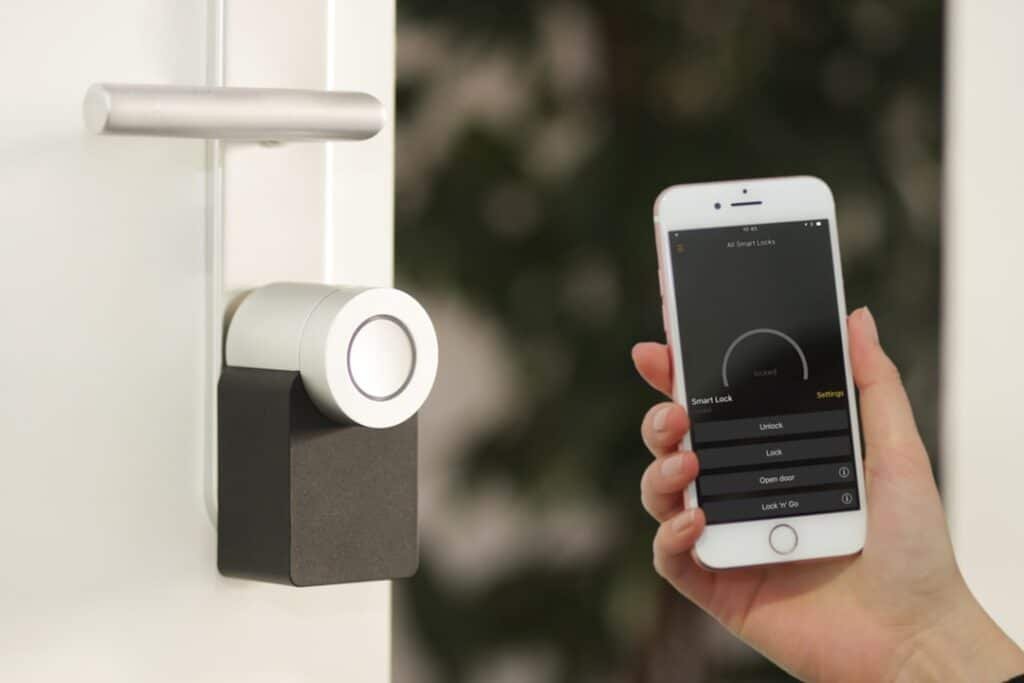
After selecting the appropriate smart appliances, the next step involves configuring your security system to facilitate communication between devices. This process may vary depending on the specific brands and models you are using, but generally, it involves accessing the settings of your security system through its app or control panel. You will need to add each smart appliance to your system, which often requires scanning a QR code or entering a unique identification number.
Once added, it’s essential to test the connectivity between your security system and smart appliances. Ensure that you can receive alerts from your smart locks or view live feeds from your cameras directly through your security app. This integration not only enhances functionality but also provides a centralized platform for managing all aspects of your home’s security.
If you encounter any issues during this configuration process, don’t hesitate to consult user manuals or online resources specific to your devices. A well-configured system will ensure that all components work together seamlessly, providing you with a robust security solution.
Setting Up Automation Rules for Your Smart Appliances within Your Security System
With your devices successfully integrated, it’s time to explore automation rules that can enhance the functionality of both your security system and smart appliances. Automation allows you to create scenarios where devices respond to specific triggers or conditions. For example, you can set up a rule that automatically locks your doors when you leave home or turns on outdoor lights when motion is detected by your security cameras.
These rules not only improve convenience but also bolster security by ensuring that actions are taken promptly without requiring manual intervention. To set up these automation rules, navigate to the automation section of your security system’s app. Here, you can customize various scenarios based on your preferences.
Consider factors such as time of day, occupancy status, or even weather conditions when creating these rules. The more tailored your automation is to your lifestyle, the more effective it will be in enhancing both security and convenience. As you experiment with different rules, take note of how they impact your daily routine and adjust them as necessary to optimize performance.
Troubleshooting Common Issues with Integrating Smart Appliances with Your Security System
As with any technology integration, challenges may arise when connecting smart appliances with your security system. Common issues include connectivity problems, device recognition failures, or delays in communication between devices. If you find that a particular appliance isn’t responding as expected, start by checking its power source and ensuring it is connected to the same Wi-Fi network as your security system.
Sometimes, simply rebooting the device or resetting it can resolve minor glitches. If problems persist, consult the troubleshooting section of both your security system and appliance manuals for specific guidance. Online forums and customer support can also be valuable resources for resolving integration issues.
Remember that patience is key; technology can sometimes be finicky, but with persistence and a methodical approach, most problems can be resolved. By addressing these issues promptly, you ensure that your integrated system functions smoothly and effectively.
Maximizing the Benefits of Integrating Your Security System with Smart Appliances
Integrating your security system with smart appliances offers numerous benefits that extend beyond mere convenience. One of the most significant advantages is enhanced security; by connecting devices like cameras and motion sensors to your security system, you create a comprehensive monitoring network that keeps an eye on your home at all times. This integration allows for real-time alerts and notifications, ensuring that you are always informed about any unusual activity.
Additionally, this integration can lead to increased energy efficiency. Smart appliances like thermostats and lights can be programmed to operate based on occupancy or time of day, reducing energy consumption when not needed. This not only lowers utility bills but also contributes to a more sustainable lifestyle.
By maximizing these benefits through thoughtful integration and automation, you create a smarter home environment that prioritizes both safety and efficiency.
Ensuring the Security and Privacy of Your Smart Appliances within Your Security System
While integrating smart appliances with your security system enhances convenience and safety, it’s essential to prioritize their security and privacy as well. Smart devices can be vulnerable to cyber threats if not adequately protected. Start by ensuring that all devices are updated with the latest firmware and software patches; manufacturers often release updates to address vulnerabilities and improve performance.
Additionally, consider implementing strong passwords for each device and enabling two-factor authentication where available. This extra layer of protection makes it significantly harder for unauthorized users to gain access to your network. Regularly reviewing device settings and monitoring for any unusual activity can also help safeguard against potential breaches.
By taking these proactive measures, you can enjoy the benefits of smart appliance integration while maintaining peace of mind regarding their security.
Future Trends in Security System and Smart Appliance Integration
As technology continues to evolve, so too does the landscape of security systems and smart appliance integration. One emerging trend is the increased use of artificial intelligence (AI) in home automation systems. AI can analyze patterns in user behavior and adapt device settings accordingly, creating a more personalized experience while enhancing security measures.
For instance, AI-driven cameras may become better at distinguishing between familiar faces and potential intruders. Another trend is the growing emphasis on interoperability among different brands and devices. As consumers demand more seamless experiences, manufacturers are increasingly focusing on creating products that work together regardless of brand affiliation.
This shift towards open ecosystems will allow homeowners greater flexibility in choosing devices that best suit their needs without being locked into a single brand’s ecosystem. In conclusion, integrating smart appliances with your security system offers numerous advantages that enhance both safety and convenience in your home. By understanding compatibility, choosing the right devices, configuring them effectively, setting up automation rules, troubleshooting issues, maximizing benefits, ensuring security and privacy, and staying informed about future trends, you can create a cohesive smart home environment that meets all your needs.
If you are looking to set up your security system to work with your smart appliances, you may also be interested in learning about the home security system services offered in Columbus, Ohio. Our Secure Home provides top-notch security system installation and monitoring services in Columbus, ensuring that your smart appliances are seamlessly integrated into your overall home security setup. To find out more about their services in Columbus, visit here.
FAQs
What is a security system?
A security system is a network of devices designed to detect, alert, and prevent unauthorized entry or access to a property. It typically includes sensors, cameras, alarms, and a control panel.
What are smart appliances?
Smart appliances are household devices that can connect to the internet and be controlled remotely. Examples include smart thermostats, smart locks, smart lights, and smart cameras.
How can I set up my security system to work with my smart appliances?
To set up your security system to work with your smart appliances, you will need to ensure that both your security system and smart appliances are compatible with each other. This may involve using a central hub or platform that can integrate and control both the security system and smart appliances.
What are the benefits of integrating my security system with my smart appliances?
Integrating your security system with your smart appliances allows for a more comprehensive and convenient home automation experience. For example, you can receive alerts on your smart device when your security system detects a potential threat, and then use your smart appliances to take action, such as turning on lights or locking doors.
Are there any security considerations when setting up my security system to work with my smart appliances?
When integrating your security system with your smart appliances, it’s important to ensure that the connection is secure to prevent unauthorized access. This may involve using strong, unique passwords for each device and keeping all software up to date.