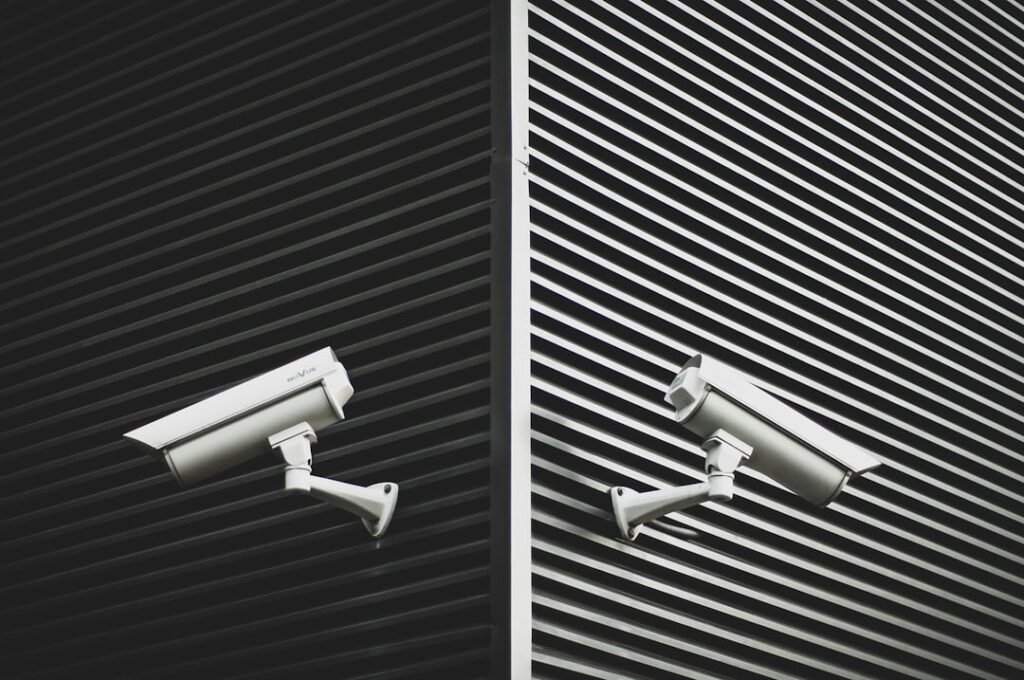
In today’s fast-paced world, the importance of a reliable security system cannot be overstated. You may find yourself increasingly reliant on smart security systems that integrate advanced technology to protect your home or business. These systems often include a variety of components such as cameras, motion detectors, and door/window sensors, all designed to work together seamlessly.
Understanding how these elements function is crucial for ensuring that your security setup operates effectively. By familiarizing yourself with the components and their roles, you can make informed decisions about your security needs. Smart security systems are designed to provide real-time monitoring and alerts, allowing you to keep an eye on your property from anywhere in the world.
You might appreciate the convenience of receiving notifications on your smartphone whenever a sensor is triggered or when unusual activity is detected. This level of connectivity not only enhances your peace of mind but also empowers you to take immediate action if necessary. As you delve deeper into the workings of these systems, you will discover that they rely heavily on sensors, which are the backbone of any smart security setup.
Key Takeaways
- Smart security systems use sensors to detect and respond to security threats
- Check the connectivity of sensors to ensure they can communicate with the central system
- Test the response time of sensors to ensure they can quickly detect and alert to threats
- Verify the accuracy of sensors by conducting tests to confirm their reliability
- Assess the battery life of sensors to ensure they can operate effectively for extended periods of time
Checking the Connectivity of the Sensors
Once you have a solid understanding of your smart security system, the next step is to check the connectivity of the sensors. A well-functioning sensor relies on a stable connection to the central hub or control panel. You should begin by ensuring that all sensors are properly installed and within range of the hub.
If you notice any dead zones in your home or office, it may be necessary to reposition some devices or invest in range extenders to enhance connectivity. To verify connectivity, you can use the mobile app associated with your security system. Most apps provide a status update for each sensor, indicating whether it is online or offline.
If a sensor appears to be disconnected, you may want to try resetting it or checking its power source. Additionally, consider the frequency of updates; some systems may have a delay in reporting status changes, which could lead to confusion. By regularly checking connectivity, you can ensure that your security system remains responsive and effective.
Testing the Response Time of the Sensors
After confirming that your sensors are connected, it’s essential to test their response time. The effectiveness of a security system hinges on how quickly it can detect and respond to potential threats. You can conduct a simple test by triggering each sensor individually and timing how long it takes for the system to alert you via notifications or alarms.
This exercise will give you a clear understanding of how responsive your system is in real-world scenarios. You might find that some sensors respond faster than others, which could be due to various factors such as their location or type. For instance, motion detectors may have different response times based on their sensitivity settings or environmental conditions.
If you notice significant delays in response times, it may be worth investigating further. Adjusting settings or repositioning sensors could enhance their performance and ensure that your security system operates at its best.
Verifying the Accuracy of the Sensors
In addition to response time, verifying the accuracy of your sensors is crucial for maintaining an effective security system. You want to ensure that each sensor accurately detects movement or breaches without generating false alarms. To test accuracy, you can simulate various scenarios—such as walking past motion detectors or opening doors equipped with contact sensors—and observe how they react.
This hands-on approach will help you gauge whether your sensors are functioning as intended. It’s also important to consider environmental factors that may affect sensor accuracy. For example, pets moving around your home can trigger motion detectors if they are not calibrated correctly.
You may need to adjust sensitivity settings or reposition sensors to minimize false alarms while still ensuring that genuine threats are detected. By regularly verifying accuracy, you can maintain a reliable security system that provides peace of mind without unnecessary interruptions.
Assessing the Battery Life of the Sensors
Battery life is another critical aspect of smart security systems that you should assess regularly. Many sensors operate on batteries rather than being hardwired into your home’s electrical system, making it essential to monitor their power levels. You can typically check battery status through the mobile app associated with your security system, which will alert you when batteries are running low.
However, it’s wise not to rely solely on notifications; conducting periodic manual checks can help prevent unexpected failures. When assessing battery life, consider factors such as usage frequency and environmental conditions. For instance, sensors placed in areas with extreme temperatures may experience reduced battery performance.
You might also want to explore options for rechargeable batteries or solar-powered sensors if available, as these can provide longer-lasting solutions and reduce maintenance efforts. By staying proactive about battery life, you can ensure that your security system remains operational at all times.
Conducting a Range Test for the Sensors
Conducting a range test for your sensors is vital for ensuring comprehensive coverage throughout your property. Each sensor has a specified range within which it operates effectively; exceeding this range can lead to connectivity issues and reduced performance. To perform a range test, start by placing each sensor at its intended location and gradually moving away from it while monitoring its connectivity status through the app.
During this test, pay attention to any areas where connectivity drops or becomes unstable. If you find that certain parts of your property are not adequately covered, consider relocating sensors or adding additional units to fill in gaps. It’s also beneficial to test sensors in various conditions—such as during peak usage times or when other electronic devices are in operation—to ensure consistent performance under different circumstances.
Troubleshooting Common Sensor Issues
Even with regular maintenance and testing, you may encounter common sensor issues that require troubleshooting. One frequent problem is false alarms triggered by pets or environmental factors such as wind or passing vehicles. If you experience this issue, adjusting sensitivity settings or repositioning sensors can often resolve it.
Additionally, ensure that there are no obstructions blocking the sensor’s field of view. Another common issue is connectivity problems caused by interference from other electronic devices or physical barriers like walls and furniture. If you notice that certain sensors frequently disconnect from the hub, try relocating them closer to the central unit or away from potential sources of interference.
By being proactive in troubleshooting these issues, you can maintain a reliable and effective smart security system.
Seeking Professional Assistance for Sensor Testing
While many aspects of testing and maintaining your smart security system can be handled independently, there may come a time when seeking professional assistance is necessary. If you find that troubleshooting common issues does not yield satisfactory results or if you’re unsure about how to optimize your system’s performance, enlisting the help of a professional can provide valuable insights. Professionals have extensive experience with various smart security systems and can conduct thorough assessments to identify any underlying problems.
They can also offer recommendations for upgrades or enhancements tailored to your specific needs. By investing in professional assistance when needed, you can ensure that your smart security system operates at peak efficiency and provides the protection you desire. In conclusion, understanding and maintaining your smart security system is essential for ensuring its effectiveness in protecting your property.
By checking connectivity, testing response times and accuracy, assessing battery life, conducting range tests, troubleshooting common issues, and seeking professional help when necessary, you can create a robust security environment that gives you peace of mind in an increasingly uncertain world.
If you are considering installing a home security system, you may want to read about the top benefits of having one in your home. According to oursecurehome.net, a home security system can provide peace of mind, deter burglars, and even save you money on your homeowner’s insurance. Additionally, if you are located in Virginia Beach, Virginia or Denver, Colorado, you may want to look into the home security system services offered in those areas by visiting oursecurehome.net and oursecurehome.net respectively.
FAQs
What is a smart security system?
A smart security system is a network of interconnected devices, such as sensors, cameras, and alarms, that work together to protect a home or business from intruders and other security threats. These systems can be controlled and monitored remotely using a smartphone or computer.
Why is it important to test smart security sensors?
Testing smart security sensors is important to ensure that they are functioning properly and will provide reliable protection in the event of an intrusion or security breach. Regular testing can help identify any issues or malfunctions before they become a serious problem.
How can I test smart security sensors?
To test smart security sensors, you can use the system’s control panel or mobile app to activate each sensor individually and verify that it triggers the appropriate response. For example, you can walk in front of a motion sensor to ensure that it detects movement and triggers an alarm.
What should I do if a smart security sensor is not working properly?
If a smart security sensor is not working properly, you should first check the sensor’s batteries and connections to ensure they are functioning correctly. If the issue persists, you may need to contact the manufacturer or a professional technician for further assistance.
How often should smart security sensors be tested?
Smart security sensors should be tested regularly, ideally at least once a month, to ensure they are functioning properly. Additionally, sensors should be tested after any maintenance or changes to the system, such as replacing batteries or repositioning sensors.