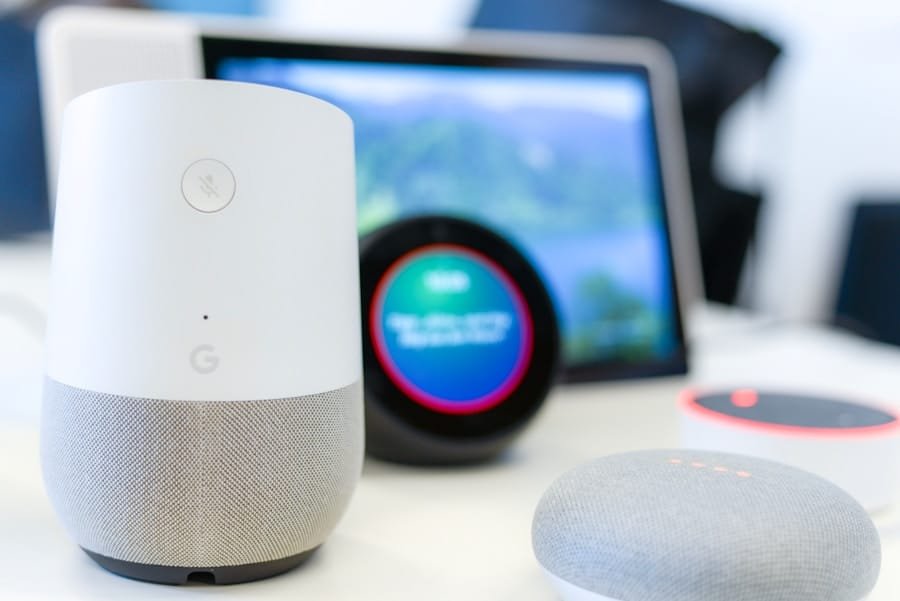
When it comes to integrating a voice assistant with your security system, understanding compatibility requirements is crucial. You need to recognize that not all devices are created equal, and compatibility can vary significantly between different brands and models. Before you dive into the integration process, take a moment to familiarize yourself with the specific requirements of both your voice assistant and your security system.
This includes checking the communication protocols they use, such as Wi-Fi, Zigbee, or Z-Wave, as well as any specific app or software requirements that may be necessary for seamless operation. Moreover, it’s essential to consider the features you want to utilize through your voice assistant. For instance, do you want to control your security cameras, door locks, or alarm systems?
Each of these components may have different compatibility needs. By understanding these requirements upfront, you can avoid potential pitfalls and ensure that your integration experience is smooth and efficient. This foundational knowledge will empower you to make informed decisions as you move forward in the integration process.
Key Takeaways
- Understanding compatibility requirements is crucial before integrating a voice assistant with a security system.
- Checking the manufacturer’s website for compatibility information can provide valuable insights.
- Researching voice assistant compatibility with the security system is essential to ensure seamless integration.
- Contacting the security system manufacturer for specific compatibility details can help avoid potential issues.
- Checking for firmware updates for both the security system and the voice assistant is important for smooth integration.
Checking the Manufacturer’s Website
Checking Manufacturer Websites
Once you have a grasp on the compatibility requirements, the next step is to check the manufacturer’s website for both your voice assistant and security system. Manufacturers often provide detailed information about compatible devices, software updates, and integration capabilities.
Finding Valuable Resources
these websites, you can find user manuals, FAQs, and support forums that can offer valuable insights into how to connect your devices effectively.
Ensuring Compatibility
Additionally, many manufacturers will list specific models that are known to work well together. This can save you a significant amount of time and frustration by ensuring that you are using devices that are designed to communicate with one another. If you encounter any uncertainties regarding compatibility, the manufacturer’s website is often the best place to clarify these issues. It’s a resource that can guide you through the integration process and help you avoid common mistakes.
Researching Voice Assistant Compatibility

In today’s tech-savvy world, voice assistants have become integral to many households. However, not all voice assistants are compatible with every security system. To ensure a successful integration, it’s essential to conduct thorough research on the compatibility of your chosen voice assistant with your security system.
Start by looking into the specific features offered by your voice assistant and how they align with the functionalities of your security system. For example, if you’re using Amazon Alexa or Google Assistant, check if they support the specific commands needed for your security system. Some systems may allow for basic commands like arming or disarming the alarm, while others may offer more advanced features such as live video streaming from security cameras.
By understanding these capabilities, you can better tailor your setup to meet your needs and enhance your home security experience.
Contacting the Security System Manufacturer
If you find yourself facing challenges during the integration process or if you have specific questions about compatibility, don’t hesitate to reach out directly to the security system manufacturer. Customer support teams are often well-equipped to provide guidance on how to connect your devices effectively. They can offer insights into any known issues or limitations that may exist between your security system and voice assistant.
When contacting customer support, be prepared with details about your devices, including model numbers and software versions. This information will help them assist you more efficiently. Additionally, they may provide troubleshooting tips or direct you to resources that can further aid in your integration efforts.
Engaging with the manufacturer can be a valuable step in ensuring that you achieve a successful connection between your voice assistant and security system.
Checking for Firmware Updates
Keeping your devices updated is a critical aspect of maintaining compatibility and functionality. Before attempting to integrate your voice assistant with your security system, check for any available firmware updates for both devices. Manufacturers frequently release updates that enhance performance, fix bugs, and improve compatibility with other smart home devices.
To check for updates, visit the settings menu of each device or consult the manufacturer’s website for instructions on how to perform updates. In some cases, updates may be automatic, but it’s always wise to verify that you’re running the latest version of the software. By ensuring that both your voice assistant and security system are up-to-date, you can minimize potential issues during integration and enjoy a smoother user experience.
Testing the Voice Assistant Integration

Initial Testing
After completing all necessary preparations and updates, it’s time to test the integration between your voice assistant and security system. Begin by issuing simple commands to see if they are recognized and executed correctly. For instance, try asking your voice assistant to arm or disarm the security system or check the status of your cameras.
Identifying Potential Issues
Pay attention to any delays or errors in response; these can indicate compatibility issues that need addressing. If everything works smoothly during initial testing, consider exploring more advanced commands or features that you may want to utilize in your daily routine.
Advanced Features and Routines
This could include setting up routines that automate certain actions based on specific triggers or times of day. Testing is an essential step in ensuring that your integration is not only functional but also enhances your overall experience with home automation.
Seeking Professional Assistance
If you encounter persistent issues during the integration process or if you simply prefer a hands-off approach, seeking professional assistance may be a wise choice. Many companies specialize in smart home installations and can provide expert guidance on integrating various devices seamlessly. These professionals have experience working with different brands and models and can troubleshoot problems more efficiently than an average user.
When considering professional help, look for reputable companies with positive reviews and testimonials from previous clients. They can assess your specific setup and recommend solutions tailored to your needs. While this option may involve additional costs, it can save you time and frustration in the long run, ensuring that your voice assistant and security system work harmoniously together.
Exploring Alternative Solutions
If after all efforts you find that your current voice assistant is incompatible with your security system, don’t lose hope—there are alternative solutions available. Consider exploring different voice assistants that are known for their compatibility with a wider range of smart home devices. For instance, some systems may work better with Apple HomeKit or Samsung SmartThings than others.
Additionally, there are third-party applications designed to bridge gaps between incompatible devices. These apps can often provide a workaround for integrating systems that don’t natively communicate with each other. Researching these alternatives can open up new possibilities for enhancing your home automation experience without having to replace existing equipment entirely.
In conclusion, integrating a voice assistant with your security system requires careful consideration of compatibility requirements and thorough research into available options. By following these steps—from checking manufacturer websites to seeking professional assistance—you can create a smart home environment that enhances both convenience and security. Remember that technology is constantly evolving; staying informed about new developments will help you make the most of your smart home setup now and in the future.
If you are looking to secure your home with a modern security system, you may want to check out this article on how to secure your home with a modern security system. It provides valuable information on the latest technology and features available to protect your home. Additionally, if you are located in Moreno Valley, California, you may be interested in learning about home security system services in the area by visiting oursecurehome.net. And if you are a frequent traveler looking to safeguard your home while away, be sure to read this article on safeguarding your home while traveling.
FAQs
What is a voice assistant?
A voice assistant is a digital assistant that uses voice recognition, natural language processing, and speech synthesis to provide assistance to users through voice interaction.
What are some popular voice assistants?
Some popular voice assistants include Amazon Alexa, Google Assistant, Apple Siri, and Microsoft Cortana.
How do I know if my security system is compatible with my voice assistant?
To determine if your security system is compatible with your voice assistant, you can check the manufacturer’s website or product documentation for information on supported integrations and compatibility.
What are the benefits of integrating a security system with a voice assistant?
Integrating a security system with a voice assistant allows for hands-free control and monitoring of the security system using voice commands. This can enhance convenience and accessibility for users.
What features can I control on my security system using a voice assistant?
Depending on the compatibility and integration, users can control features such as arming and disarming the security system, checking the status of sensors and cameras, and receiving alerts and notifications through their voice assistant.