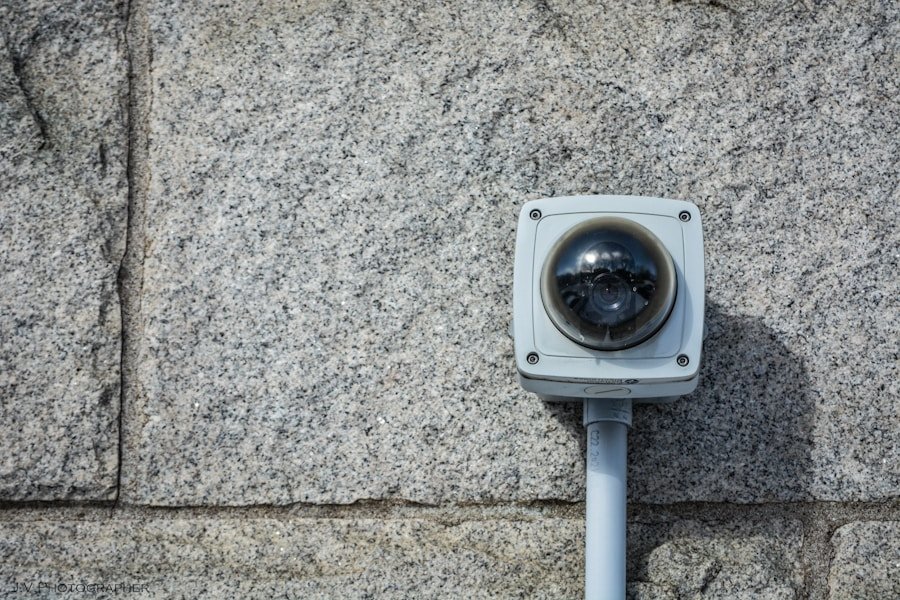
To effectively manage your security system, it is essential to grasp its fundamental components and how they work together to protect your property. At its core, a security system typically consists of sensors, alarms, cameras, and a control panel. Each element plays a crucial role in detecting intrusions, alerting you to potential threats, and recording events for future reference.
Familiarizing yourself with these components will empower you to make informed decisions about your security needs and ensure that your system operates at peak efficiency. Moreover, understanding the technology behind your security system can help you troubleshoot issues when they arise. For instance, knowing how motion detectors function or how cameras capture footage can provide insight into why a particular sensor may not be responding as expected.
Additionally, many modern systems offer smart features that allow you to control them remotely via smartphone apps or web interfaces. By taking the time to learn about these functionalities, you can maximize the benefits of your security system and enhance your overall peace of mind.
Key Takeaways
- Understanding the basics of your security system is crucial for effective operation and troubleshooting.
- Regularly check power and battery levels to ensure uninterrupted functionality.
- Test sensors and alarms to confirm they are working properly and can detect potential threats.
- Verify communication with monitoring service to ensure prompt response in case of an emergency.
- Inspect for physical damage or tampering to maintain the integrity of the security system.
Checking for Power and Battery Levels
Inspecting the Main Control Panel
A security system that is not powered adequately is essentially useless, as it cannot perform its primary function of monitoring your property. Start by inspecting the main control panel for any warning lights or indicators that may signal a power issue.
Checking Power Sources and Battery Levels
If your system is hardwired, ensure that it is plugged in and that the outlet is functioning properly. For battery-operated components, such as door sensors or cameras, check the battery levels regularly to avoid unexpected failures.
Establishing a Routine for Battery Replacement
Many systems will alert you when battery levels are low, but relying solely on these notifications can lead to lapses in security. By proactively replacing batteries every few months or as recommended by the manufacturer, you can ensure that all components remain operational. This simple maintenance step can save you from potential security breaches caused by dead batteries or power outages.
Testing the Sensors and Alarms

Once you have confirmed that your security system is powered correctly, the next step is to test the sensors and alarms. This process involves activating each sensor to ensure it responds appropriately. For motion detectors, walk in front of them to see if they trigger an alarm or send a notification to your smartphone.
Similarly, test door and window sensors by opening them to confirm that they activate the alarm system as intended. Regular testing not only verifies that each component is functioning but also helps you become familiar with how your system operates. In addition to testing individual sensors, it’s crucial to evaluate the alarm itself.
Trigger the alarm manually to ensure it sounds as expected and that any connected monitoring service receives the alert. This step is vital because it confirms that both local and remote notifications are working correctly. If you encounter any issues during testing, take note of them and consult your user manual for troubleshooting tips or contact customer support for assistance.
Verifying Communication with Monitoring Service
If your security system includes a monitoring service, verifying communication with this service is essential for maintaining effective protection. Start by checking that your system is connected to the internet or phone line, depending on how it communicates with the monitoring center. Many systems have indicators on the control panel that show whether they are online or offline.
If you notice any connectivity issues, troubleshoot them immediately to restore communication. Once you confirm that your system is connected, consider conducting a test call or alert to the monitoring service. This process typically involves triggering an alarm or using a designated test feature within your system.
The monitoring center should acknowledge receipt of the alert, confirming that they are prepared to respond in case of an emergency. Regularly verifying this communication ensures that you can rely on your monitoring service when it matters most.
Inspecting for Physical Damage or Tampering
Physical damage or tampering can compromise the effectiveness of your security system, making regular inspections a critical part of your maintenance routine. Begin by visually examining all components, including cameras, sensors, and wiring. Look for signs of wear and tear, such as frayed wires or cracked casings, which could indicate potential vulnerabilities.
Pay special attention to outdoor equipment, as environmental factors can lead to deterioration over time. In addition to checking for damage, be vigilant about signs of tampering. Intruders may attempt to disable or destroy security devices to gain unauthorized access to your property.
Ensure that all cameras are securely mounted and that sensors are properly installed without any obstructions. If you notice any suspicious alterations or damage, address them immediately by repairing or replacing affected components. Taking these precautions will help maintain the integrity of your security system and deter potential threats.
Reviewing System Logs and Alerts

Here is the rewritten text with 3-4 Reviewing Security Logs for Valuable Insights
Reviewing logs can provide valuable insights into how often your system is triggered and whether there are any patterns in activity that warrant further investigation. For instance, if you notice frequent false alarms during specific times of day, it may indicate an issue with a particular sensor or environmental factors affecting its performance.
Staying Informed with Alerts
Alerts generated by your system can help you stay informed about potential security breaches or maintenance needs. Regularly checking these notifications allows you to address issues promptly and adjust settings as necessary. For example, if certain sensors are consistently triggered by pets or other non-threatening movements, you may want to recalibrate their sensitivity settings.
Enhancing Security Effectiveness
By staying proactive in reviewing logs and alerts, you can enhance the overall effectiveness of your security measures.
Consulting with a Professional Technician
While many aspects of maintaining a security system can be handled independently, there are times when consulting with a professional technician is advisable. If you encounter persistent issues that you cannot resolve through troubleshooting or if you are unsure about how to perform specific tests, seeking expert assistance can save you time and frustration. Technicians have specialized knowledge and experience that can help identify underlying problems that may not be immediately apparent.
Moreover, professional technicians can provide valuable insights into upgrades or enhancements for your security system. As technology evolves, new features and capabilities become available that could significantly improve your home’s safety. A technician can assess your current setup and recommend adjustments or additions tailored to your specific needs and concerns.
Investing in professional guidance ensures that your security system remains effective and up-to-date.
Establishing Regular Maintenance and Testing Procedures
To keep your security system functioning optimally over time, establishing regular maintenance and testing procedures is essential. Create a schedule for routine checks that includes testing sensors and alarms, inspecting for physical damage, verifying communication with monitoring services, and reviewing logs and alerts. By setting aside time each month or quarter for these tasks, you can ensure that no aspect of your security system goes overlooked.
In addition to scheduled checks, consider documenting any maintenance performed on your system. Keeping a log of tests conducted, repairs made, and battery replacements can help track the overall health of your security setup over time. This documentation can also be beneficial if you ever need to consult with a technician or provide information for insurance purposes.
By prioritizing regular maintenance and testing procedures, you can enhance the reliability of your security system and enjoy greater peace of mind knowing that your property is well-protected.
If you are wondering about the importance of having a functioning security system in your home, you may want to check out this article on the role of home security systems in crime prevention. It discusses how having a reliable security system can help deter criminals and protect your property. It also highlights the various features and benefits of modern security systems that can enhance the safety of your home.
FAQs
What are the signs that my security system is functioning properly?
Some signs that your security system is functioning properly include regular system checks, no false alarms, and the ability to arm and disarm the system without any issues.
How often should I test my security system to ensure it is functioning properly?
It is recommended to test your security system at least once a month to ensure it is functioning properly. Additionally, you should test your system after any changes or upgrades.
What should I do if I suspect my security system is not functioning properly?
If you suspect that your security system is not functioning properly, you should contact your security provider immediately to schedule a maintenance check and address any issues.
What are some common issues that can affect the proper functioning of a security system?
Common issues that can affect the proper functioning of a security system include dead batteries, faulty sensors, power outages, and outdated equipment.
How can I ensure that my security system is functioning properly during a power outage?
To ensure that your security system is functioning properly during a power outage, consider installing a backup power source such as a battery backup or a generator. Additionally, regular maintenance checks can help identify any issues with the system.