


In today’s world, ensuring the safety of your home has become more critical than ever. With the rise in technology, home security devices have evolved significantly, offering you a range of options to protect your property and loved ones. From traditional locks and alarms to advanced smart cameras and motion sensors, these devices are designed to provide peace of mind.
You may find yourself overwhelmed by the sheer number of choices available, but understanding the various types of home security devices can help you make informed decisions that best suit your needs. As you explore the landscape of home security, you will discover that many devices can now be integrated into a cohesive system. This integration allows you to monitor and control your security measures from a single platform, making it easier to manage your home’s safety.
The convenience of having everything at your fingertips cannot be overstated, as it streamlines your ability to respond to potential threats and enhances your overall security experience. In this article, we will delve into the benefits of controlling multiple devices from a single app, the types of devices available, and how to effectively manage them for optimal security.
Key Takeaways
- Home security devices provide peace of mind and protection for your home and loved ones.
- Controlling multiple devices from a single app offers convenience and efficiency for managing home security.
- Types of home security devices that can be controlled from a single app include cameras, alarms, sensors, and smart locks.
- Setting up and using a single app for multiple home security devices involves connecting each device to the app and customizing settings.
- Tips for managing multiple home security devices on a single app include organizing devices into groups and setting up automation schedules.
The Benefits of Controlling Multiple Devices from a Single App
Monitor Your Home from One Location
Imagine being able to monitor your entire home’s security system from one location, whether you are at home or away. This centralized control allows you to receive real-time alerts, view live camera feeds, and manage settings without the hassle of switching between different applications.
Quick Response in Emergencies
You can easily check if you locked the front door or if the garage door is closed, all from the palm of your hand. Moreover, having a unified app enhances your ability to respond quickly in emergencies. If an alarm goes off or a camera detects unusual activity, you can take immediate action without fumbling through various apps.
Automation for Simplified Daily Life
This swift response can be crucial in preventing potential break-ins or other security breaches. Additionally, many apps offer automation features that allow you to set schedules or create routines for your devices, further simplifying your daily life. For instance, you can program your lights to turn on at sunset or set your cameras to record only during specific hours, optimizing both security and energy efficiency.
Types of Home Security Devices That Can Be Controlled from a Single App
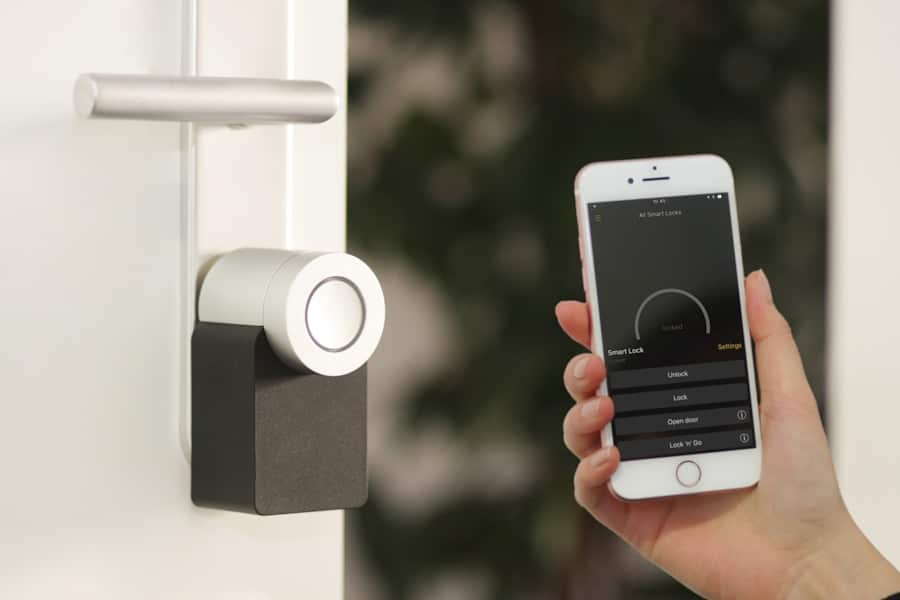
When it comes to home security devices that can be managed through a single app, the options are vast and varied. Smart cameras are among the most popular choices, providing you with live video feeds and motion detection alerts. These cameras can be placed both indoors and outdoors, allowing you to keep an eye on your property from anywhere in the world.
Many models also come equipped with two-way audio, enabling you to communicate with anyone on your property directly through the app. In addition to cameras, smart locks are another essential component of a comprehensive home security system. These locks allow you to control access to your home remotely, granting or revoking entry permissions as needed.
You can create temporary access codes for guests or service providers, ensuring that you maintain control over who enters your space. Furthermore, motion sensors and alarms can be integrated into your system, providing an additional layer of protection by alerting you to any suspicious activity around your home.
How to Set Up and Use a Single App for Multiple Home Security Devices
Setting up a single app for multiple home security devices may seem daunting at first, but it is often a straightforward process. Begin by selecting a compatible app that supports all the devices you wish to integrate. Many manufacturers offer their own apps designed specifically for their products, while others provide universal platforms that can accommodate various brands.
Once you have chosen an app, download it onto your smartphone or tablet and create an account if necessary. Next, follow the app’s instructions to add your devices. This typically involves connecting each device to your home Wi-Fi network and then linking it to the app through a simple pairing process.
Most apps will guide you through each step with clear prompts, making it easy for you to get everything set up correctly. After all devices are connected, take some time to familiarize yourself with the app’s features and settings. Explore options such as notifications, automation routines, and camera views so that you can customize your security experience according to your preferences.
Tips for Managing Multiple Home Security Devices on a Single App
Managing multiple home security devices through a single app can be made even more efficient with a few practical tips. First and foremost, organization is key. Create distinct labels for each device within the app so that you can easily identify them at a glance.
For example, label cameras by their location—“Front Door Camera” or “Backyard Camera”—to avoid confusion when monitoring feeds or adjusting settings. Another helpful tip is to regularly review and update your device settings. As technology evolves and new features become available, staying informed about updates can enhance your security system’s effectiveness.
Additionally, consider setting up alerts for specific events—such as when motion is detected or when doors are left unlocked for an extended period—so that you remain proactive in managing your home’s safety. Lastly, ensure that your app and devices are always running the latest firmware to protect against vulnerabilities.
Potential Challenges and Solutions for Controlling Multiple Devices from a Single App
Connectivity Issues
One common issue is connectivity problems; if one device loses its connection to Wi-Fi, it may affect the performance of other connected devices. To mitigate this risk, ensure that your Wi-Fi network is robust enough to support all devices simultaneously. Consider investing in a Wi-Fi extender if you have a large home or areas with weak signals.
Device Integration Challenges
Another challenge may arise from compatibility issues between different brands or models of devices. Not all security devices are designed to work seamlessly together; therefore, it is essential to research compatibility before making purchases. Look for devices that explicitly state they can be integrated into a unified system or choose products from manufacturers known for their interoperability.
Troubleshooting and Support
If you encounter issues with device integration after purchase, consult customer support for troubleshooting assistance or consider seeking out online forums where other users may have shared solutions.
Integrating Smart Home Devices with a Single Security App
The integration of smart home devices with your security app can significantly enhance your overall home automation experience. By connecting devices such as smart lights, thermostats, and doorbells with your security system, you create a more cohesive environment that responds intelligently to various situations. For instance, when your security camera detects motion at night, it can trigger outdoor lights to illuminate the area automatically, deterring potential intruders.
Additionally, integrating smart home devices allows for more sophisticated automation routines. You can set up scenarios where certain actions occur based on specific triggers; for example, when you leave home, your app could lock all doors, turn off lights, and activate the security system simultaneously. This level of integration not only improves convenience but also enhances energy efficiency by ensuring that devices operate only when needed.
Conclusion and Recommendations for Using a Single App to Control Multiple Home Security Devices
In conclusion, utilizing a single app to control multiple home security devices offers unparalleled convenience and efficiency in managing your home’s safety. By centralizing control over various devices such as cameras, locks, and alarms, you empower yourself with real-time monitoring capabilities and quick response options in emergencies. As technology continues to advance, embracing these innovations will only enhance your ability to protect what matters most.
To maximize the benefits of using a single app for your home security needs, invest time in researching compatible devices and setting them up correctly within the app. Regularly review device settings and stay informed about updates to ensure optimal performance. By following these recommendations and integrating smart home technology into your security system, you will create a safer living environment while enjoying the convenience of modern technology at your fingertips.
If you are interested in learning more about how to secure your home with a modern security system, check out this informative article here. This article provides valuable tips and insights on how to protect your home and loved ones using the latest technology. It complements the topic of controlling multiple home security devices from a single app by emphasizing the importance of having a comprehensive security system in place.
FAQs
What is a home security system?
A home security system is a network of devices designed to secure a home by monitoring and protecting it from intruders, fire, and other hazards.
What are the common components of a home security system?
Common components of a home security system include cameras, motion sensors, door and window sensors, alarms, and smart locks.
Can I control multiple home security devices from a single app?
Yes, many home security systems offer a single app that allows users to control and monitor multiple devices such as cameras, sensors, and alarms from one interface.
What are the benefits of controlling multiple home security devices from a single app?
Controlling multiple home security devices from a single app provides convenience, ease of use, and centralized monitoring and control of the entire security system.
Are there any limitations to controlling multiple home security devices from a single app?
Some home security systems may have limitations on the number or types of devices that can be controlled from a single app. It’s important to research and choose a system that meets your specific needs.


