


In today’s digital age, the integration of technology into our daily lives has reached unprecedented levels. Smart TVs have emerged as a central hub for entertainment, offering a plethora of streaming services, apps, and connectivity options. However, their capabilities extend beyond just providing access to your favorite shows and movies.
As you delve deeper into the world of smart technology, you may find that your smart TV can also serve as an effective display for security systems. This dual functionality not only enhances your home entertainment experience but also elevates your home security measures. The rise of smart home devices has transformed how you interact with your living space.
Security systems have evolved from traditional setups to sophisticated networks of cameras, sensors, and alarms that can be monitored remotely. By integrating these systems with your smart TV, you can create a seamless experience that allows you to keep an eye on your home while enjoying your favorite content. This article will explore the features of smart TVs, their compatibility with security systems, the benefits and drawbacks of using them as display hubs, and practical tips for maximizing their potential.
Key Takeaways
- Smart TVs are becoming increasingly popular as display hubs for security systems, offering convenience and flexibility for monitoring footage.
- Smart TVs come with a range of features such as high-resolution displays, internet connectivity, and compatibility with various security system apps and devices.
- Using a smart TV as a display hub for security systems can provide benefits such as centralized monitoring, remote access, and integration with other smart home devices.
- Potential drawbacks of using a smart TV for security monitoring include security vulnerabilities, limited app availability, and the need for additional hardware or subscriptions.
- Setting up a smart TV as a display hub for your security system involves connecting the TV to the internet, installing security system apps, and configuring the display settings for optimal viewing.
Smart TV Features and Compatibility with Security Systems
Smart TVs come equipped with a variety of features that make them versatile tools for modern living. With built-in Wi-Fi connectivity, voice control capabilities, and access to numerous applications, these devices can easily connect to your home network. This connectivity is crucial when it comes to integrating your security system.
Many security cameras and monitoring systems now offer dedicated apps that can be downloaded directly onto your smart TV, allowing you to view live feeds and recorded footage without needing additional devices. Moreover, the compatibility of smart TVs with various security systems is continually improving. Most major security brands have developed applications that are specifically designed for smart TVs, ensuring that you can access your security footage with ease.
Whether you have a Ring doorbell camera or a Nest security system, chances are there’s an app available for your smart TV. This compatibility not only simplifies the monitoring process but also enhances the overall user experience by consolidating multiple functions into one device.
Benefits of Using a Smart TV as a Display Hub for Security Systems
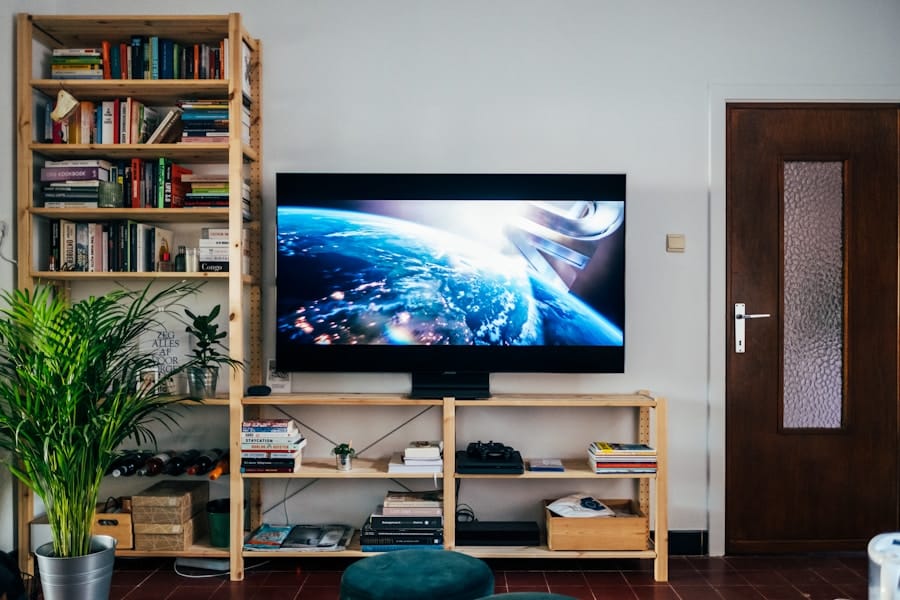
Utilizing your smart TV as a display hub for your security system offers numerous advantages. One of the most significant benefits is the larger screen size compared to traditional monitoring devices. When you use a smart TV to view security footage, you can see details more clearly, making it easier to identify faces or objects in the video feed.
This enhanced visibility can be crucial in situations where every detail matters, such as monitoring package deliveries or keeping an eye on children playing outside. Another advantage is the convenience of having a centralized location for both entertainment and security monitoring. Instead of switching between different devices or screens, you can seamlessly transition from watching a movie to checking on your home’s security with just a few clicks on your remote.
This integration not only saves time but also provides peace of mind, knowing that you can quickly access your security feeds whenever necessary. Additionally, many smart TVs allow for split-screen functionality, enabling you to watch a show while simultaneously monitoring your security cameras.
Potential Drawbacks and Limitations
While there are many benefits to using a smart TV as a display hub for your security system, it’s essential to consider potential drawbacks and limitations as well. One significant concern is the issue of privacy and security. Smart TVs are often connected to the internet, which can make them vulnerable to hacking or unauthorized access.
If your TV is compromised, it could potentially expose your security feeds to malicious actors. Therefore, it’s crucial to ensure that your smart TV’s software is regularly updated and that you use strong passwords to protect your network. Another limitation is the reliance on internet connectivity.
If your internet goes down or experiences interruptions, you may lose access to your security feeds through the smart TV. This dependency on a stable internet connection can be problematic in emergencies when you need immediate access to your security system. Additionally, not all smart TVs are created equal; some may have limited processing power or outdated software that could hinder their ability to run security apps effectively.
It’s essential to research and choose a smart TV that meets the requirements of your specific security system.
How to Set Up a Smart TV as a Display Hub for Your Security System
Setting up your smart TV as a display hub for your security system is a straightforward process that can enhance your home monitoring experience significantly. First, ensure that your smart TV is connected to the same Wi-Fi network as your security cameras or monitoring system. This connection is vital for seamless communication between devices.
Once connected, navigate to the app store on your smart TV and search for the application associated with your security system. After downloading the appropriate app, follow the on-screen instructions to log in or create an account if necessary. You may need to enter specific details about your security system, such as camera IDs or passwords, to establish a connection.
Once set up, you should be able to view live feeds from your cameras directly on your smart TV screen. It’s also advisable to familiarize yourself with the app’s features, such as motion alerts or playback options, so you can make the most out of this integration.
Tips for Maximizing the Use of Your Smart TV for Security Monitoring

Customize Your App Settings
Take advantage of any available features within the app that allow for customization. For instance, you might be able to set up specific camera views or create alerts for certain activities around your home. Tailoring these settings to fit your lifestyle can enhance both convenience and security.
Use Voice Control for Convenience
Consider using voice control features if available on your smart TV. Many modern smart TVs come equipped with voice assistants that allow you to navigate through apps and commands hands-free. This functionality can be particularly useful when you need to check on your security feeds quickly without fumbling with remotes or menus.
Regularly Update Your Software
Lastly, regularly review and update both your smart TV and security system software to ensure optimal performance and protection against potential vulnerabilities.
Alternative Options for Displaying Security System Footage
While using a smart TV as a display hub for your security system offers many benefits, it’s essential to explore alternative options as well. One popular choice is using dedicated security monitors designed specifically for surveillance purposes. These monitors often come equipped with features tailored for security applications, such as multiple input options for connecting various cameras simultaneously.
Another alternative is utilizing mobile devices like smartphones or tablets for monitoring purposes. Many security systems offer mobile apps that allow you to view live feeds and receive alerts directly on your device. This option provides flexibility and portability, enabling you to monitor your home from anywhere at any time.
However, it may lack the larger screen size that a smart TV offers, which can be crucial for detailed surveillance.
The Future of Smart TV Integration with Security Systems
As technology continues to advance at a rapid pace, the integration of smart TVs with security systems is likely to become even more sophisticated in the future. With ongoing developments in artificial intelligence and machine learning, we can expect smarter surveillance solutions that offer enhanced features such as facial recognition and predictive analytics directly through our TVs. This evolution will not only improve home security but also streamline how you interact with various devices in your living space.
In conclusion, using a smart TV as a display hub for your security system presents an innovative way to enhance both entertainment and safety in your home. By understanding the features and compatibility of smart TVs with security systems, along with their benefits and limitations, you can make informed decisions about how best to utilize this technology. As we move forward into an increasingly connected world, embracing these integrations will undoubtedly play a significant role in shaping our future living environments.
If you are considering upgrading your home security system, you may want to read this article on home security system services in St. Paul, Minnesota. It discusses the importance of having a reliable security system in place to protect your home and loved ones. Additionally, it provides information on the latest technology and features available in modern security systems. By integrating your security system with your smart TV, you can enhance the overall security of your home and have peace of mind knowing that you can monitor your property from anywhere.
FAQs
What is a smart TV?
A smart TV is a television set with integrated internet and interactive “Web 2.0” features. It allows users to stream music and videos, browse the internet, and access various apps.
What is a security system?
A security system is a network of integrated electronic devices designed to secure a property against intrusion, theft, vandalism, and other criminal activities.
Can a smart TV become a display hub for a security system?
Yes, some smart TVs have the capability to connect to and display content from security cameras and systems. This allows users to monitor their security footage on a larger screen.
What are the benefits of using a smart TV as a display hub for a security system?
Using a smart TV as a display hub for a security system provides a larger and more convenient viewing experience compared to traditional monitors or smaller screens. It also allows for easier integration with other smart home devices.
What are the potential drawbacks of using a smart TV as a display hub for a security system?
Some smart TVs may have security vulnerabilities that could potentially be exploited by hackers, posing a risk to the security system. Additionally, not all smart TVs may be compatible with all security systems, so compatibility should be verified before attempting to use a smart TV as a display hub.


